
Technical service management in Odoo: from the customer request to the invoice
In Odoo, technical service runs as a single process. The request is recorded, the intervention is planned and assigned to a technician, who records the work, the time and the materials on their phone. The customer signs on site and the invoice is based on that information, with no data entered again.
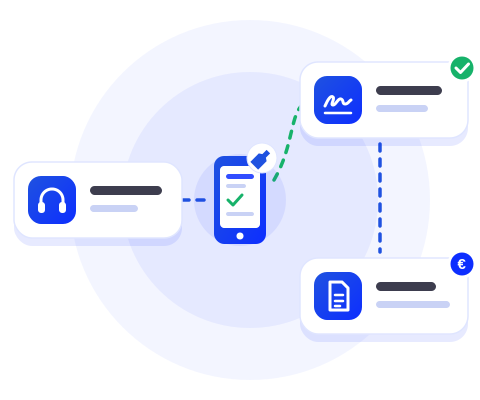
In a technical service company, the work does not end when the technician leaves the customer. The hours, the materials used and the work done still have to be confirmed before invoicing. When this information travels through phone calls, emails, spreadsheets or paper, time is lost and errors increase.
Where does a service request start in Odoo?
A service request can come from several sources. The intervention can be created by the team, result from a sales order, arrive through a form or email, or start from a Helpdesk ticket. The options available depend on the apps installed and on the configuration. With these processes connected, the information follows the request from its source, with no need to create a task at each stage.
How is the technicians' work planned?
Odoo shows interventions in calendar, Kanban, Gantt and map views. The planner sees the scheduled work, changes the assigned technician, adjusts dates and checks whether the workload is balanced. The map shows where each intervention is, which helps organise the day when there are several visits. Odoo also prepares a route based on locations and scheduled dates. Before assigning the job, you can cross-check three factors: who is available, where the customer is and how much work each technician already has.
What information does the technician have at the customer's site?
The technician checks and updates the intervention in the Odoo mobile app. On site, they see the service details and record the work done.
Calls, emails, notes and meetings are linked to the same task. The history of each intervention is complete and the team depends less on information passed on by phone or message.
How is the work done recorded for each type of service?
Odoo lets you create different worksheets for each type of intervention. An installation may require a checklist; a maintenance job, technical data on the equipment; a repair, the cause of the fault, the solution and the materials.
The technician only fills in the relevant fields. The company always collects the information in the same format and can analyse it later, instead of depending on free text or paper.
How is the time of each intervention tracked?
The technician uses a timer linked to the task, and the time is recorded in the intervention itself. The company knows how long each service took.
This record matters when the service is invoiced by the hour, when you want to know the average duration of interventions or compare the planned time with the actual time. Separate notes are no longer needed.
How are the parts and materials used tracked?
The technician adds the products they used to the task, from the catalogue. If this option is configured, the consumption updates the inventory and the products are included in invoicing. Without this link, there are often differences between what left the warehouse, what the technician used and what was invoiced. With the intervention, the materials and the stock connected, the information follows the service from the field to the management system.
Can the customer validate the service on site?
Yes. The customer signs in the mobile app and the signature is added to the intervention report. The work is confirmed on the spot, with no paper sheets to hand in, scan or enter into the system. The report can include the description of the service, the products used, the times and the completed worksheet.
How does the intervention move on to invoicing?
The hours and products recorded on the task are the basis for the invoice. If the process is configured for it, Odoo creates a draft invoice from the intervention itself. The gain lies in what is no longer done by hand: the back office does not have to collect the hours, confirm materials, interpret the worksheet and enter everything again.
Helpdesk, field service and Maintenance: what is the difference?
They are three Odoo areas with different roles that can work together.
Helpdesk
What it is for
Receive and handle support requests as tickets, with teams, priorities and stages
Field Service
What it is for
Carry out the intervention when the request requires sending a technician to the customer
Maintenance
What it is for
Manage preventive and corrective maintenance of equipment and assets, with history
An example path: the request comes into the Helpdesk, leads to a field intervention and, when it involves equipment followed by the company, is recorded in Maintenance.
Which companies should consider this solution?
Companies with technicians or teams working at customers' premises that need to connect those interventions to the rest of their management. This is the case for technical service, installation, maintenance, inspection and other external services. The size of the team is not the deciding factor. What matters more is the complexity of the process and the amount of information that flows between the office, technicians, customer, warehouse and invoicing. The solution makes most sense when there is a regular volume of interventions, several people in the field, consumption of materials and invoiced services.
What should you prepare before implementing?
Implementation starts with the process, not with the configuration. Before configuring, the company should answer these questions:
- 1
How does an intervention request arrive and who validates it?
- 2
Who chooses the technician?
- 3
What information has to reach the field and what does the technician have to record?
- 4
How are materials handled?
- 5
When is the intervention considered complete and how is it invoiced?
- 6
What data is needed for analysis and which other Odoo apps are part of the process?
Moving a poorly defined process into software keeps the problems; the only difference is that they move to another tool. The change is an opportunity to review the flow and remove unnecessary steps.
How does Winsig work on a technical service project?
Winsig is an Odoo partner in Portugal and supports companies in analysing, implementing and adapting Odoo to the way they work. In a field service project, we start by understanding how the company receives, plans, carries out and invoices its interventions. With that analysis, we define which apps are part of the process and what information should flow between areas.
This way, what the technician records in the field serves those who plan, follow up customers, control stock, invoice and analyse the results.
Do you want to organise your company's technical service in Odoo?
Technical service in Odoo: frequently asked questions
Can Odoo be used to manage a technical service company?
Yes. Odoo lets you plan interventions, assign them to technicians, record times, materials and worksheets, collect the customer's signature and connect the service to invoicing.
Can technicians use Odoo on their phone?
Yes. The Odoo mobile app lets them check and update interventions during the service.
Is it possible to invoice directly from the intervention?
Yes, when the process is configured for it. Odoo creates a draft invoice with the hours and products recorded.