
Project management in Odoo integrated with Cegid PHC: how to control tasks, hours, deadlines and profitability
Managing several projects at once takes more than a task list. The company needs to know what is planned, who is responsible for each activity, how much time has been used, which jobs are behind schedule and whether the project is still within budget.
When this information is spread across spreadsheets, emails, calendars and unconnected applications, the project manager loses visibility over execution. Teams also spend more time looking for information, preparing status updates and entering the same data in different systems.
The Odoo Project app centralises project planning and execution. Teams can organise tasks, assignees, deadlines, dependencies, working hours, documents and delivery milestones on a single platform.
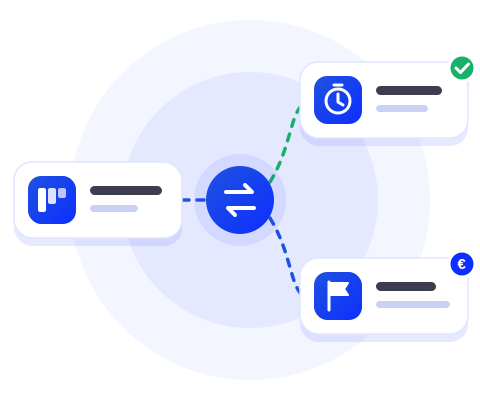
When integrated with Cegid PHC, Odoo can take on the operational side of project management, while Cegid PHC keeps the company's financial, tax and administrative base. This architecture lets the two platforms complement each other without duplicating functions or replacing processes that are already well established.
Project management in Odoo with Cegid PHC: in short
Odoo Project lets you create projects, assign tasks, set deadlines, track dependencies, log working hours and control delivery milestones. The Kanban, Gantt and list views let you analyse the same project from different perspectives.
Time tracking can be linked directly to projects and tasks. The manager can compare the time allocated with the time actually used and spot deviations before the work is closed.
The company can also share project information with customers or other external parties, according to the permissions set.
In an integrated architecture, Cegid PHC continues to support the financial, tax and administrative processes. Odoo concentrates the teams' daily work, while the integration ensures the necessary data moves between the two systems. This complementarity matches the positioning defined by Winsig for the Cegid PHC and Odoo integration.
What is the Odoo Project app?
Odoo Project is an app for planning, organising and tracking work that takes place over a given period and involves tasks, people, deadlines and expected results.
Each project can be split into tasks and sub-tasks. The company can assign people, set priorities, enter deadlines, link customers and organise the work in stages. Sub-tasks help break large activities into smaller parts or spread phases of the same job across different people.
Stages appear as columns in the Kanban view and can be adapted to the company's process. A project can, for example, have the stages "To do", "In progress", "In review" and "Done". Tasks move from one stage to the next as the work progresses.
The app can work together with other Odoo areas such as Sales, Timesheets, Planning, Documents and Helpdesk. The specific integration depends on the apps installed and the process defined for the company.
When does it make sense to use Odoo for project management?
Project management in Odoo can be relevant for consulting, IT, engineering, architecture, communication, agencies, technical services and other organisations whose work is organised in projects.
It can also make sense when the company invoices by the hour, at a fixed price, by project phase or by delivery milestone.
The need becomes clearer when there are several stakeholders, dependencies between tasks, simultaneous projects or managers without a consolidated view of each person's workload.
The commercial framework prepared by Winsig identifies exactly this profile: service companies, organisations invoicing by the hour or by milestone, projects with several stakeholders and managers without a consolidated view of team availability.
What are the main problems of scattered project management?
Planning is isolated from the rest of the process
A company may have planning in its own app, hours in a spreadsheet, documents in a shared folder and invoicing in the ERP.
Each tool may do its job, but the project loses a shared view. A change in planning may not reach the finance team, while an expense or an additional service may not show up in the project manager's analysis.
Working hours are not logged
When hours are only logged at the end of the week or month, the risk of omissions and inaccurate estimates increases.
Hours that are not logged can affect the analysis of actual effort, the invoicing of services and the calculation of profitability.
Delays are identified too late
A delayed task can block other activities. Without visible dependencies and deadlines, the project manager may only notice the problem when the delivery date is already at risk.
The customer does not know the project status
Without a dedicated space to follow the work, the customer depends on meetings, emails or requests for updates.
This increases the team's administrative load and can create gaps between what the customer knows and the actual status of the project.
Profitability is only known at the end
When hours, costs, purchases and revenue are kept apart, the company may not be able to tell during execution whether the project is still profitable.
The problem is not just the lack of a report. It is the absence of the data needed to produce an up-to-date analysis.
These problems match the points identified by Winsig for Odoo Project: planning apps isolated from the ERP, unlogged hours, incomplete invoicing, no profitability analysis and no customer access to delivery progress.
What are the main features of Odoo Project?
Kanban, Gantt and list views
The Kanban view organises tasks by stage and lets you move them as they progress through the process.
The Gantt view shows tasks on a timeline. The manager can check dates, duration, deadlines and dependencies, and adjust the plan when something changes.
The list view gathers the data in a more detailed structure and lets you view or change several project elements.
The three views do not represent different projects. They are different ways of viewing and working on the same information.
Tasks, sub-tasks and assignees
Each project can be split into tasks. Tasks can include assignees, customers, tags, priorities, deadlines, descriptions and related documents.
When a task is too large or involves several people, it can be split into sub-tasks. This way, each part of the work can have its own assignee and deadline.
Stages adapted to the company's process
Stages let you represent the company's way of working.
A consultancy can organise tasks into analysis, development, testing, validation and completion. An engineering company may choose study, design, approval, execution and delivery.
Stages can be specific to one project or shared by several projects that follow the same flow.
Task dependencies
Not all tasks can start at the same time.
An activity may depend on another being completed, as when testing can only start after development or when an installation depends on the customer's prior approval.
Odoo lets you enable task dependencies. This feature helps identify blocked work and understand the impact of a delay on the following phases.
Timesheets linked to tasks
With the Timesheets app, employees can log the time spent on each project and task.
The manager can compare allocated hours with hours used, track the remaining work and analyse deviations between estimate and execution.
This information is particularly important for companies that invoice services by the hour or need to know the actual effort required for each type of project.
Recurring tasks
Some activities repeat during a project, such as weekly meetings, progress reports, periodic reviews or validations.
Odoo lets you set up recurring tasks. Once the previous task is completed or cancelled, the system creates a new occurrence based on the defined frequency.
Project milestones
Milestones represent key points in the project, such as the approval of a design, the delivery of a version, the completion of an installation or the customer's acceptance of a phase.
The company can link tasks to each milestone and track the work needed to reach it. Milestones are especially useful in long, higher-value or multi-phase projects.
In standard Odoo, reaching a milestone can be the basis for creating an invoice when the sales and financial process also runs on the platform.
When Cegid PHC is the financial and tax system, reaching a milestone should not be treated as automatic invoicing in Odoo. The integration should send Cegid PHC the information needed to prepare or trigger the invoicing process.
Project templates
Companies that carry out similar work can create project templates.
A template can contain settings, stages and a ready-made structure. When a new job comes in, the team does not need to set up the whole project from scratch.
This feature helps standardise processes and reduces the risk of leaving out essential tasks.
Customer access to project progress
Odoo lets you share projects with external users.
The company can provide read-only access through a public link or invite external users according to the permissions set. Access can be limited to the tasks that concern that user.
This reduces the need to send manual updates, but does not remove the need for meetings or communication with the customer. The portal should only show the information the company has decided to share.
Project dashboard
The project dashboard brings together information on tasks, hours, planning, documents, milestones, costs and revenue linked to the project.
It also lets you compare planned hours with hours actually used, provided the necessary apps and data are configured.
Planning team workload and availability
Managing the workload per employee may require using the Project and Planning apps together.
The Project module concentrates tasks, deadlines and hours. The Planning app lets you allocate work shifts and analyse employee allocation. Exactly how the two apps are configured depends on how teams and resources are organised.
That is why availability planning should not be presented as a standalone feature of Odoo Project. It is a capability obtained by connecting apps.
What is standard functionality and what depends on the integration?
Standard in Odoo
The Kanban, Gantt and list views, tasks, sub-tasks, dependencies, milestones, timesheets, templates and external sharing are features of the Odoo ecosystem. Some require activating or installing the corresponding apps.
Depends on the integration
The link between a quotation in Cegid PHC and the creation of a project in Odoo is not automatic by default.
Transferring hours, milestones, costs or amounts from Odoo to Cegid PHC is not standard either. These flows depend on the integration developed and the rules defined for each company.
Creating an invoice in Cegid PHC from a milestone completed in Odoo also depends on that integration.
This distinction is essential so as not to confuse the app's capabilities with the processes that have to be configured or developed by Winsig.
How does the integration between Odoo Project and Cegid PHC work?
The integration should start by defining the role of each system.
In Winsig's approach, Odoo can act as the operational layer in areas such as projects, CRM, sales, marketing, support and scheduling. Cegid PHC keeps the financial, tax and administrative base.
Odoo as the operational application
Odoo can hold projects, tasks, assignees, deadlines, hours, dependencies, milestones, working documents and execution statuses.
This is the platform where teams follow their daily work.
Cegid PHC as the financial and administrative base
Cegid PHC can keep customers, suppliers, purchasing, invoicing, current accounts, treasury, accounting and the other administrative or tax processes defined by the company.
Data that can flow between the systems
The integration can cover customers, contacts, services, quotations, order references, projects, approved hours, completed milestones, costs, statuses or amounts needed for the financial process.
The specific information should be defined in each project. There is no universal list of data that has to be synchronised.
It is also necessary to establish the source system for each piece of data. For example, if the customer is created in Cegid PHC, the integration can transfer it to Odoo. Allowing independent changes in both systems without clear rules increases the risk of inconsistencies.
How can a project run between Odoo and Cegid PHC?
1. The quotation is accepted
The process starts when the quotation is awarded or the service is confirmed.
When the sales process runs in Odoo and the services are configured for this, confirming the quotation can create a project or a task.
When the quotation is created in Cegid PHC, the transfer to Odoo depends on the integration flow defined.
2. The project is created
The project can be created from a template or set up from scratch.
At this stage, the company defines the tasks, sub-tasks, assignees, dates, planned hours, dependencies and milestones.
3. The work is planned
The Gantt view helps spread tasks over time and understand the sequence between activities.
When team workload and availability need to be analysed, the project can be linked to the Planning app.
4. Tasks are carried out and hours are logged
Employees update task statuses, log the hours used and add comments or documents.
The manager follows progress, identifies blockers and compares planned with actual effort.
5. The milestone is reached
When a key phase ends, the corresponding milestone can be marked as reached.
In an integrated scenario, reaching it can send Cegid PHC the signal needed to prepare invoicing, according to the rules defined beforehand.
6. The project is analysed
At the end, the company can compare planned and completed tasks, estimated and used hours, planned and actual dates, costs, revenue and margin.
This flow matches the sequence presented by Winsig: quotation accepted, project created, planning, execution with timesheets, milestone reached and profitability analysis.
How do you analyse project profitability?
Profitability is not just a comparison between the amount sold and the number of hours logged.
A complete analysis can include employee costs, materials, purchases, expenses, external services and after-sales interventions, compared with the project revenue. The Odoo documentation identifies these elements as components of the profitability analysis.
When all this data exists in Odoo and is linked to the project, the dashboard can present a more complete economic analysis.
When costs, purchases, expenses or revenue remain in Cegid PHC, total profitability will not appear automatically in Odoo. The company has to choose one of the following approaches: transfer the necessary data to Odoo, send the operational data to Cegid PHC or create a joint analysis that brings together information from both systems.
The architecture should be defined before implementation. Otherwise, the company may control tasks and hours well but still be unable to determine the real margin during execution.
What are the advantages of project management in Odoo integrated with Cegid PHC?
Centralised operational information
Tasks, deadlines, assignees, hours, documents and milestones are no longer scattered across several tools.
Each project has its own space and a common structure for everyone involved.
Greater control over deadlines
Dependencies and the Gantt view help identify the impact of each delay.
The manager can adjust the plan before the final date is at risk.
More accurate time tracking
Logging hours per task lets you compare estimates with actual work.
This information also helps prepare future quotations based on the actual effort of similar projects.
Better link between execution and invoicing
Completed hours, tasks or milestones can reach the financial process without depending on repeated emails or spreadsheets.
Issuing the documents in Cegid PHC does, however, depend on the integration rules.
Greater transparency for the customer
External access lets you share project progress without exposing internal information the customer should not see.
The company keeps control of permissions and the data available.
More consistent processes
Project templates and shared stages help different teams follow the same way of working.
Standardisation does not mean every project has to be the same. It means common activities no longer depend on each manager's memory.
What should be defined before implementation?
The company should start by determining when a project is created and what information accompanies it from quotation to closure.
It should also define the stages, the people in charge, the access rules, the hour approval process, the milestones, the link to invoicing and the indicators it wants to analyse.
It is equally necessary to decide where customers, services, purchases, expenses and financial documents are created and updated.
The profitability analysis should be settled at this stage. The company needs to state which costs it wants to include, where that data exists and in which system the final analysis will be presented.
Without these decisions, the integration risks reproducing in the systems the same problems that existed in the spreadsheets.
What is Winsig's role?
Winsig analyses how the company sells, plans, carries out, invoices and follows up its projects.
Based on that analysis, it defines which processes should be in Odoo, which should remain in Cegid PHC and what information needs to flow between the platforms.
The work can include configuring projects, stages, templates, tasks, timesheets, milestones, permissions and indicators, as well as developing the necessary integration.
The goal is not just to install a new app. It is to create a process in which teams work on up-to-date information and the finance area receives the data it needs without duplicated work.
Odoo Project and Cegid PHC: two complementary platforms
Odoo can give teams a tool to organise tasks, deadlines, hours, responsibilities and deliveries.
Cegid PHC continues to ensure the company's financial, tax and administrative structure.
When the integration is well defined, operational information is no longer isolated from the ERP. The company can follow the project from quotation to execution, invoicing and profitability analysis.
This complementarity makes it possible to modernise project management without disrupting the processes already established in Cegid PHC.
Frequently asked questions about project management in Odoo and Cegid PHC
Does Odoo Project replace Cegid PHC?
No. In Winsig's approach, the two platforms complement each other. Odoo can support project planning and execution, while Cegid PHC keeps the financial, tax and administrative base.
What information can be controlled in Odoo Project?
Odoo lets you control projects, tasks, sub-tasks, assignees, priorities, stages, dates, dependencies, milestones, documents and working hours. Some capabilities require additional apps from the Odoo ecosystem.
Can Odoo compare planned and actual hours?
Yes. With timesheets and planning properly configured, you can compare the time allocated with the time actually logged on tasks.
Is it possible to analyse the profitability of each project?
Yes, as long as the necessary costs and revenue are linked to the project. If part of the financial information remains in Cegid PHC, the complete analysis requires integration or a dashboard that brings together data from both systems.
Does a reached milestone automatically create an invoice?
In standard Odoo, milestones can be the basis for invoicing when the financial process runs in Odoo. When Cegid PHC is the financial and tax system, creating the document depends on the integration and the rules defined for the company.
Can a project be created automatically after a quotation is accepted?
Yes, when the sales process runs in Odoo and the services are configured to create projects or tasks. If the quotation is created in Cegid PHC, creating the project in Odoo depends on the integration.
Can the customer follow the project?
Yes. Odoo lets you share projects with external users and set the access level. The company decides which tasks and information can be viewed.
Can project management in Odoo be used in Portugal?
The task, deadline, timesheet, dependency, milestone and collaboration features are operational and do not depend on country-specific tax rules. In this architecture, Portuguese financial, accounting and tax processes remain in Cegid PHC.
Sources
Official Odoo sources
- Odoo Project — app overview
Presents the general framework of the Project app, including task planning, activity assignment and profitability tracking. - Project management in Odoo
Main documentation on organising projects through tasks and the Kanban view. - Task stages and statuses
Confirms that stages can be adapted to the company's process, shown as columns in the Kanban view and shared across several projects. - Task creation
Explains manual or automatic task creation, including tasks created from emails or website forms. - Sub-tasks
Documentation on splitting tasks into smaller activities, with their own assignees, priorities, statuses, allocated hours and timesheets. - Task dependencies
Confirms that relationships can be set between tasks, blocked tasks identified and dependencies created from the Gantt view. - Recurring tasks
Explains how to set up tasks that repeat at a defined frequency. - Timesheets
Confirms the tracking, review and validation of working time per project and employee, and the link to services invoiced based on time used. - Invoicing based on time and materials
Documentation on invoicing hours, expenses and purchases used to deliver a service. - Milestones in Odoo projects
Explains using milestones to track key phases, deliveries or checkpoints throughout a project. - Invoicing projects by milestones
Describes the standard Odoo process in which reaching a milestone updates the delivered quantity on the order and allows the invoice to be created. In Winsig's scenario, this process has to be adapted when Cegid PHC is the system responsible for invoicing. - Project templates
Confirms that projects can be created with predefined settings, tasks and roles. - Project dashboard in Odoo
Presents the elements available on the dashboard, such as tasks, timesheets, planned hours, milestones, costs, revenue and project status updates. - Project profitability
Explains that the analysis can include employee costs, materials, purchases, expenses, after-sales services and revenue linked to the project. - Team and resource planning
Source used for the part on workload, employee availability, shifts and planning by project. - Portal access for customers and vendors
Confirms that the company can grant portal access to external users to view certain documents and information. - Granting portal access
Explains how to grant portal access to customers and vendors.