
Marketing automation in Odoo: how to follow each lead through to the sales team
Marketing automation in Odoo runs campaigns with automatic actions, based on rules, criteria and sequences defined by the company. Each contact receives the next step according to what they did (opened, clicked, replied or did not react), and the sales team receives the lead at the right moment.
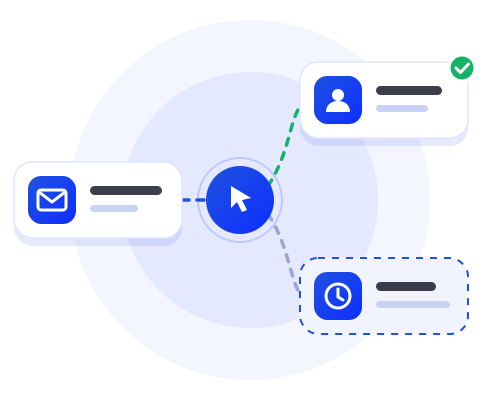
Many companies run campaigns but lose track of what happens after the first contact. Sending the next communication, updating statuses, checking replies or reactivating contacts is left to someone and often ends up not being done. Marketing automation in Odoo provides continuity between marketing and sales.
What is marketing automation in Odoo?
It is the Odoo Marketing Automation feature that runs campaigns with automatic actions, according to the logic defined by the company. The team defines criteria, creates segments, schedules actions, follows interactions and triggers the next steps as the contact progresses. The work no longer depends on repetitive manual tasks and follows organised sequences instead.
What is the difference between email marketing and marketing automation?
Email marketing sends; automation decides what happens next. The two features complement each other.
Email marketing
What it does
Segments contacts with rules defined by the company, creates email templates and sends campaigns or newsletters to specific audiences
Marketing automation
What it does
Defines the next action based on each recipient's interaction: opening, click, reply or no reaction
The next action can be an activity for the sales team, a new communication or moving the contact to another stage of the flow. The contact's reaction can, in turn, trigger another action. The company builds the sequences that serve its strategy.
Which actions can be automated?
Some examples:
- An automatic sequence for people who filled in a form on the website;
- Communications for leads that are not yet qualified;
- Campaigns to reactivate inactive contacts;
- Reminders and communications after events;
- Sales follow-up before handing an opportunity to the sales team;
- Status updates and task creation.
Each flow can have different paths. A contact who opens the email goes one way; one who does not react goes another.
When does it add value to the company?
Marketing automation pays off in these situations:
Follow-up is manual: the company already has contacts, opportunities or campaigns, but the follow-up depends on someone remembering;
The sales team wastes time on repetitive tasks: sending communications, updating statuses, following replies, reactivating contacts;
Nobody knows what happens after the campaign: automation defines the next steps and shows how each contact progresses;
The same message is applied to the whole database: with segmentation, contacts are organised by profile, interest, source, behaviour or stage of the sales process.
When is it not yet time to automate?
When the company does not yet have a minimally defined sales process. Before automating, you need to know:
1
Which contacts you want to work with
2
Which actions will be automated
3
What data is needed
4
Which team follows the results
Without these answers, automation can produce communications without criteria, duplicate data or campaigns with no commercial value.
It may also be too early when there are few contacts, few campaigns and a very simple sales operation. In that case, the first step is to organise the CRM, the forms, the database and the follow-up process.
Where to start?
In phases. Odoo is modular and lets you add features as the company matures:
- 1
Organise the CRM;
- 2
Move on to email campaigns;
- 3
Create sales automations;
- 4
Segment contacts;
- 5
Build more complete follow-up flows.
How does Winsig support a marketing automation project?
Winsig is an Odoo partner. We help identify where automation creates value in the company's sales process. The work starts by understanding that process, defining the data needed and identifying the actions worth automating.
We support the configuration of the flows and the alignment between marketing, sales and management, so that automation is a real improvement to the sales process: fewer manual tasks, more consistent campaigns and a clearer link between those who generate contacts and those who sell.
Frequently asked questions
What is marketing automation in Odoo?
It is the feature that creates automatic campaigns based on rules, criteria, segments and actions defined by the company. It supports communications, contact follow-up, sales follow-up and CRM-related actions.
Which sales actions can I automate in Odoo?
Sequences after form submissions, campaigns for inactive contacts, communications after events, lead follow-up, status updates, task creation and follow-up of sales interactions.
What is the difference between email marketing and marketing automation?
Email marketing prepares and sends campaigns to segmented contacts. Automation defines what happens next, according to each recipient's interaction.
Does marketing automation reduce manual work?
Yes, when the process is well defined. It avoids repetitive tasks and gives continuity to contact follow-up.
Does a small company need marketing automation?
It depends. With few contacts and a simple sales operation, it is better to organise the CRM, the forms and the database first.