
Implementing an ERP in phases: where to start with Odoo
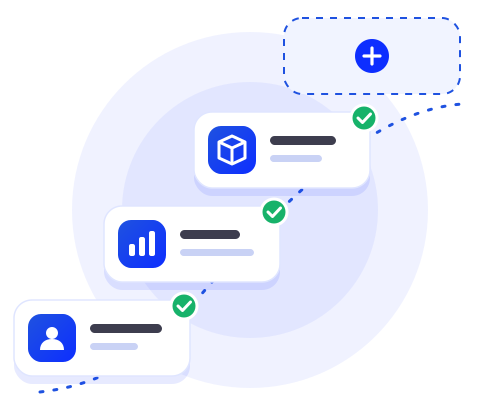
With Odoo, a company does not need to implement everything at once. It starts with its priority areas (for example, CRM and sales) and adds purchasing, inventory, marketing or services later, with every area connected on the same platform. Each phase is validated before the next one, which reduces the risk to operations.
Changing management systems worries many SMEs. The fear is bringing operations to a halt, changing everything at the same time and paying for features they will never use. A modular ERP such as Odoo offers another path: moving forward in phases, starting where the problem is greatest.
What does implementing an ERP in phases mean?
It means starting with a few applications and adding others as the business evolves. A modular ERP is made up of applications, or modules, that are implemented according to each company's priorities.
One possible path:
1
CRM and sales;
2
Purchasing and inventory;
3
Marketing, services, projects or document management.
Every phase is connected within the same structure. The company is not piecing together standalone applications; it is adding areas to a system that already shares information.
Why are companies looking for an alternative to traditional ERP?
Because their needs have changed. For many years, traditional ERP was used mainly to centralise financial, accounting and administrative information. Today, companies also need to connect departments, automate tasks, integrate sales channels and access information in real time.
Many older systems did not keep up with this change, so companies kept adding external tools. The CRM sits apart from the ERP, marketing uses another platform, documents are scattered and part of the control still lives in Excel. Quotes are prepared in one system, stock is checked in another and reports depend on manual exports.
The result is duplicated information, manual work, little visibility and poor communication between departments.
Traditional ERP, standalone tools or modular ERP: what changes?
Traditional ERP
How it works
It concentrates administrative, financial and accounting management in one main system.
Limitation
It does not always respond quickly to sales, operational or digital needs.
Standalone tools
How it works
Each area uses its own application: marketing on one platform, sales on another, support by email, management in spreadsheets.
Limitation
Information is scattered and it is hard to cross-reference data and KPIs.
Modular ERP
How it works
Each area has its own application, but they are all connected: CRM with sales, sales with inventory, inventory with purchasing, marketing with CRM, services with the customer history.
Limitation
It requires well-defined processes (see below).
In the modular model, there are fewer repetitive tasks, customers are followed up more closely and management has a more reliable view of what is happening in the company.
How does Odoo work as a modular ERP?
Odoo is a business management platform made up of integrated applications. Odoo itself presents the solution as a suite of business applications covering CRM, email, accounting, inventory, e-commerce and project management, and highlights ease of use and integration as part of its value proposition.
An SME can start with CRM and sales only and later add inventory, purchasing, marketing, services or document management, without relying on complex development every time the business changes.
From website contact to invoice
A single flow, without re-entering information in several systems
A contact arrives through the website and enters the CRM as an opportunity. The sales team qualifies the request, schedules activities, sends a quote and follows up on the customer's decision.
If the quote is accepted, it becomes a sales order. From there, the company checks stock, triggers purchases, plans the delivery, creates operational tasks or moves on to invoicing, depending on how it has been configured.
Information is not re-entered in several systems. Sales, operations, management and the customer know where the process stands without scattered messages, parallel files or manual updates.
Why do so many companies start with CRM?
Because the impact on sales follow-up is immediate. Many ERPs were designed for the administrative and financial areas, and CRM came later, through integrations or separate applications.
In Odoo, CRM is part of the core structure. Contacts, opportunities, quotes, meetings, communications and sales all live in the same system. Sales automation creates activities, alerts, notifications and internal workflows that help the team avoid losing opportunities through lack of follow-up.
Not every company should start with CRM. Some have inventory and purchasing as their priority; others, marketing, support (Helpdesk), projects or field services.
What signs show it is time to move forward?
The sales team tracks opportunities in spreadsheets;
Quotes are not linked to stock or invoicing;
Marketing does not communicate with sales;
Customer requests get lost in email;
Management reports require several manual exports;
Every new product, channel or department brings more manual work.
When growth forces the administrative workload to increase in the same proportion, the management system is already holding the company back.
What can a modular ERP not solve on its own?
A modular ERP does not solve internal organisation problems, poor-quality data or badly defined processes. Technology needs analysis, proper configuration, team training and correct integration between systems. Without these, the company changes tools and keeps the same problems.
Before moving forward, you need to decide:
1
Which processes stay as they are;
2
Which processes should be reviewed;
3
Which data must flow between systems;
4
What the priority of the first phase is.
Do cloud and automation matter too?
Yes.
Companies want to depend less on local servers, maintenance costs and complex technical interventions, and cloud platforms offer more flexibility. Employees expect fast, simple tools. When the ERP is too complex, adoption drops and processes go back to spreadsheets, emails and shared files.
Automation is no longer just for large companies. Odoo includes automation for internal approvals, sales workflows, recurring invoicing, marketing campaigns, purchasing, inventory, projects and operations management.
What do public bodies say about SME digitalisation?
European Commission
The Digital Europe Programme aims to bring digital technology to businesses, citizens and public administrations, with a focus on artificial intelligence, cybersecurity, digital skills and the wide use of digital technologies.
IAPMEI
The digital transition is an opportunity to improve productivity, boost innovation and reduce the cost of business processes.
COMPETE 2030
The SIAC – Digitalisation call frames digitalisation as a way to accelerate the digital transition of economic activities, particularly SMEs, and refers to more flexible, monitorable, paperless processes supported by integrated platforms.
How does Winsig support a phased implementation?
Winsig is an Odoo partner that supports companies in Portugal in implementing Odoo solutions tailored to each business, with a focus on integration, automation and connecting processes. The decision always starts from the company's reality: which area to tackle first, which processes to review and how to add the following phases.
Talk to Winsig and decide where to start implementing Odoo in your company.
Frequently asked questions
Is it possible to implement an ERP in phases?
Yes. With a modular ERP such as Odoo, the company starts with its priority areas and adds modules as its needs evolve, always on the same platform.
Which Odoo modules should be implemented first?
It depends on the company. CRM and sales are often a good first phase, because of their impact on sales follow-up. In other cases, it makes more sense to start with inventory, purchasing, marketing, projects, Helpdesk or field services.
Is Odoo an ERP?
Yes. It is a business management platform with integrated applications such as CRM, sales, purchasing, inventory, accounting, e-commerce, marketing, projects and services.
Does Odoo replace the system the company already has?
Not always. It can replace older systems or work alongside an existing solution. The decision depends on each company's situation.
What is the difference between a modular ERP and several standalone applications?
In a modular ERP, the applications share information and the process carries on from one area to the next. With standalone applications, each area solves its own problem, but the data stays scattered.
When should an SME consider a modular ERP?
When processes depend too much on Excel, emails, scattered tools and manual tasks, or when the company wants to grow without complexity growing in the same proportion.