
Fleet management in Odoo integrated with Cegid PHC: how to control vehicles, contracts and costs
Odoo Fleet is an operational app that centralises information on vehicles, drivers, contracts, services, repairs, accidents, mileage and costs.
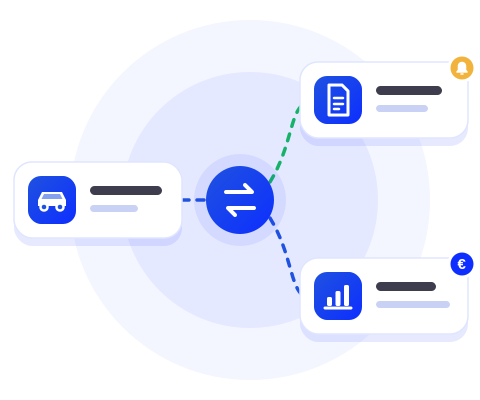
Integrated with Cegid PHC by Winsig, Odoo can support day-to-day fleet management, while Cegid PHC keeps your company's financial, accounting, tax and administrative base.
This integration between your Cegid PHC and the Odoo Fleet module makes sense for companies that already use Cegid PHC but still manage their fleet through spreadsheets, scattered documents, emails or shared folders.
The goal is to add a fleet management app and connect that information to the rest of your company's processes.
Why is fleet management still a sensitive issue for companies?
Managing a fleet takes more than a simple list of vehicles. The company needs to know who uses each vehicle, which contracts are active, which services have been carried out, which accidents have occurred and how much it costs to keep each vehicle on the road.
In many organisations, this information is still scattered across spreadsheets, shared folders, emails and paper documents. Costs may be in Cegid PHC, while contracts, mileage, repairs and driver assignments are tracked elsewhere.
This fragmentation makes it hard to check the history, increases the risk of missing important dates and prevents a consistent analysis of costs per vehicle.
The most common problems are the lack of a consolidated view of the fleet, contracts without central tracking, repairs and accidents without a structured history and difficulty comparing the costs of different vehicles.
For companies with sales staff, technicians, delivery teams, site managers or other field workers, these problems have a direct impact on operations. An unavailable vehicle, an unplanned repair or an untracked contract can affect the service provided and increase costs.
What is the Odoo fleet module?
Odoo Fleet is an app for tracking a company's vehicles and the operational information linked to each one.
Vehicles are shown on a Kanban board and can be organised by status. The default stages include new requests, vehicles to order, vehicles in use and vehicles removed from the fleet.
Each vehicle can have its own record with information such as model, licence plate, category, chassis number, order date, registration date, usual location, fleet manager and last known odometer reading.
The company thus has a central point for checking the fleet's operational information, instead of depending on several files and sources.
Which processes can be handled in Odoo Fleet?
Record and status of each vehicle
Each vehicle can have a record with the main identification and tracking details.
The fields documented by Odoo include the model, licence plate, category, order date, registration date, date of removal from the fleet, chassis number, last odometer reading, fleet manager and usual location.
The vehicle can also be tagged and placed at a stage of the process through the Kanban board.
Assigning vehicles to drivers
Odoo lets you assign a current driver to each vehicle. You can also identify the next planned driver and set the date from which the vehicle will be available for a new assignment.
The driver does not have to be an employee created in the Employees app. They can be created as a contact, which covers cases where the vehicle is used by a contractor, external collaborator or another authorised person.
Contract management and end-of-contract reminders
Contracts linked to vehicles can be viewed in the Fleet module and assigned to the person in charge.
Odoo Fleet lets you set how many days in advance an email is sent before a contract's end date.
The person in charge named on the contract receives the reminder, which can support decisions to renew, return or close.
This feature depends on the dates and people in charge entered in the system. Odoo Fleet does not automatically check contract information with the supplier. Each company should therefore make sure the data is up to date and that each contract has a person in charge.
Services, inspections and repairs
Odoo Fleet lets you create service records for periodic inspections, maintenance work and repairs.
A service record can include the description, the type of intervention, the planned or actual date, the estimated or final cost, the supplier, the vehicle, the driver, the odometer reading and additional notes.
Planned services can be entered before they take place. Unexpected repairs can be added when they arise.
Different service types can be created to suit your situation, such as inspection, tyre change, mechanical maintenance, bodywork repair or component replacement.
The history is linked to the vehicle, which makes it easy to look up previous interventions and their costs.
Tracking accidents
Accidents can be handled through Odoo Fleet service records. The company creates specific service types for accidents and distinguishes, for example, incidents where the driver is at fault from those where the driver is not at fault.
The record can hold the date, the description of the accident, the repairs needed, the vehicle, the driver, the supplier, the odometer reading and the estimated or final costs.
Documents such as accident reports, police reports and repair quotes can also be attached.
Repairs can go through statuses such as new, running, done or cancelled.
The module does not replace the procedures required by the authorities or insurers; it serves to organise the incident, documents, repairs and costs internally.
Mileage tracking
Odoo Fleet lets you store the last known odometer reading and link readings to vehicles.
The values can be analysed through monthly reports and by vehicle category. This helps identify which groups of vehicles are used most and compare how readings evolve over time.
Fleet cost analysis
The cost report brings together expenses linked to contracts, services and repairs. The information can be analysed by vehicle, driver and period. Odoo Fleet also lets you compare values with the previous month, quarter or year.
This analysis helps identify the vehicles with the highest costs, the drivers linked to the highest repair expenses and how costs evolve over time.
For the analysis to reflect the company's reality, it is necessary to define how costs such as contracts, repairs, services and other relevant expenses are entered or synchronised.
How can fleet management work in Odoo?
The process starts with creating the vehicle record, which holds the identification details, status, licence plate, model, usual location and last known odometer reading.
Next, the company assigns the driver, the internal person in charge and the applicable contracts. When a contract approaches its end date, Odoo can send a reminder to the person in charge, according to the notice period set in the system.
Inspections, repairs and other interventions are linked to the vehicle through service records. If an accident occurs, the company can document the incident, attach files and track repairs and costs.
As the information is updated, managers can check the vehicle history and analyse costs by vehicle, driver or period.
The process can be summarised as follows:
- Creating the vehicle record
- assigning the driver and contracts
- reminder before contracts end
- tracking services, repairs and accidents
- updating mileage and costs
- analysis by vehicle, driver and period.
The integration with Cegid PHC connects this operational side to the financial and administrative processes defined by the company.
How does fleet management work in Odoo integrated with Cegid PHC?
In Winsig's approach, Odoo and Cegid PHC play complementary roles.
Odoo
Odoo can concentrate the operational side of the fleet. This app holds the vehicle records, driver assignments, contracts, reminders linked to their dates, services, repairs, accidents, mileage and operational analyses.
Cegid PHC
Cegid PHC can keep suppliers, purchasing, financial documents, treasury, accounting, tax and the other administrative processes defined by the company.
The integration prevents the fleet's operational information from being separated from financial management. However, there should be no duplication of data without a clear rule.
During the project, it is necessary to define the main platform for each type of information. If a supplier is created in Cegid PHC and is also needed in Odoo to link a repair, it should be defined how synchronisation works and which system is responsible for updates.
The same principle applies to vehicles, drivers, costs, services and purchase documents.
Odoo provides technical mechanisms for integrating with external applications. However, the existence of these mechanisms does not mean that all data is synchronised automatically. The content and direction of the integration are defined by Winsig according to each company's processes.
This approach adds an app focused on operational fleet management without taking away Cegid PHC's role in the financial, accounting, tax and administrative areas.
Practical example: vehicle management in a technical services company
Imagine a company that uses Cegid PHC for financial, administrative, accounting and tax management.
The company has vehicles assigned to technicians who carry out interventions at customers' premises. Vehicle information is kept in a spreadsheet and contracts are stored in shared folders.
With Odoo Fleet, each vehicle has its own record. That record holds the licence plate, model, driver, usual location, last odometer reading and linked contracts.
When a vehicle needs an inspection or repair, a service record is created. The company identifies the supplier, the date, the cost, the status of the intervention and the mileage.
If an accident occurs, the description, documents and the various repairs needed can be added.
Managers can check the history per vehicle and the fleet's operating costs.
If the integration is configured for this, the necessary information can be linked to suppliers, purchases or costs handled in Cegid PHC.
Odoo improves fleet tracking. Cegid PHC keeps financial and administrative control.
Advantages of fleet management in Odoo integrated with Cegid PHC
Organised information
Information is no longer scattered across spreadsheets, messages, folders and isolated documents. Each vehicle has a record with its drivers, contracts, interventions, accidents, mileage and costs.
Greater control over contracts
Contracts are linked to vehicles and people in charge. The reminder before the end date helps prepare renewals, returns or closures, as long as the information is correct.
Service and repair history
Inspections and repairs are linked to the vehicle, supplier, date, mileage and cost. This history shows which vehicles need frequent interventions and which accumulate the most expenses.
Cost analysis per vehicle
Reports help compare the costs of contracts, services and repairs.
The company can identify changes over time and analyse which vehicles have the highest costs.
Link to financial management
The fleet does not work in isolation. Repairs involve suppliers, contracts generate costs and decisions on replacement or maintenance have a financial impact.
The integration between Odoo and Cegid PHC connects the fleet's operational information to the company's management base, within the rules defined in the project.
When does it make sense to use Odoo Fleet?
Odoo Fleet can make sense when the company has several vehicles and no central view of drivers, contracts, services, accidents and costs.
It can also be relevant when the fleet is essential for sales, technical, delivery, construction or field service teams.
The number of vehicles should not be the only criterion. A company with a small fleet may have complex contracts, several drivers, high costs or a significant repair history. In these cases, the need for control may justify a dedicated app.
The module also makes sense when Cegid PHC already covers the company's core areas, but operational fleet management is still outside the system or depends on manual processes.
What should be defined before integrating Odoo Fleet with Cegid PHC?
Before implementation, it is necessary to understand how the current process works.
The company should identify where the vehicle records are, who updates drivers, how contracts are tracked, where repairs are recorded and in which system costs are kept.
The main source of each piece of data should also be defined. It is necessary to decide where suppliers are created, where financial documents are kept, which costs should appear in Odoo, which information should go to Cegid PHC and which teams need access to each platform.
Without this analysis, there is a risk of duplicating information or creating parallel processes.
With a clear architecture, Odoo and Cegid PHC can play different and complementary roles.
Fleet management in Odoo integrated with Cegid PHC: more control without replacing the management base
Odoo Fleet centralises the vehicles' operational information, tracks contracts, organises services and repairs, documents accidents and analyses costs.
For companies that already use Cegid PHC, the module can work as an operational extension of the existing solution. Cegid PHC keeps the financial, accounting, tax and administrative areas, while Odoo adds an app focused on day-to-day fleet management.
The result depends on clearly defining the role of each platform and the data that should flow between the systems.
Winsig analyses the company's processes, defines the integration architecture and implements Odoo as a complement to Cegid PHC.
Contact Winsig and find out how to structure your fleet management with Odoo and Cegid PHC
Frequently asked questions about Fleet Management in Odoo integrated with Cegid PHC
What is Odoo Fleet?
Odoo Fleet is an app for tracking vehicles, drivers, contracts, services, repairs, accidents, mileage and costs. The information is linked to each vehicle and can be analysed through reports.
Does Odoo Fleet replace Cegid PHC?
No. In Winsig's approach, Odoo and Cegid PHC work together. Odoo can support operational fleet management, while Cegid PHC keeps the financial, accounting, tax and administrative base.
Does Odoo send a reminder when a contract is about to end?
Yes. The module lets you set how many days in advance an email is sent to the person in charge of the contract.
Does Odoo automatically track vehicle inspections (IPO), road tax (IUC) and insurance?
No. These checks must be configured according to the project.
Does Odoo Fleet include GPS tracking?
No. Location tracking and telematics require an additional solution or integration.
Is it possible to track inspections and repairs?
Yes. Odoo lets you create service records with the type of intervention, date, vehicle, driver, supplier, cost, mileage and notes on the work.
Is it possible to track accidents?
Yes. Accidents can be handled through service records. The company can record the incident, the repairs needed, the suppliers, the costs and the driver, and attach documents.
Is it possible to compare vehicle costs?
Yes. The module's reports let you analyse contract, service and repair costs by vehicle, driver and period, and compare values with previous periods.
Which data can be integrated between Odoo Fleet and Cegid PHC?
The integration can cover data such as vehicles, drivers, suppliers, services, costs or information needed for purchasing and financial management processes. The scope depends on the architecture defined for each company.
Sources consulted
- Odoo Documentation 19.0 — Fleet
- Odoo Documentation 19.0 — Adding vehicles
- Odoo Documentation 19.0 — Services
- Odoo Documentation 19.0 — Accidents
- Odoo Documentation 19.0 — Cost analysis report
- Odoo Documentation 19.0 — Odometer analysis report
- Odoo Documentation 19.0 — External JSON-2 API
- Cegid PHC — Management software for mid-sized companies
- Cegid PHC CS — Management
- Cegid PHC CS — Accounting